
89 lines
1.6 KiB
Markdown
89 lines
1.6 KiB
Markdown
---
|
||
title: 对象存储
|
||
date: 2025-07-23 14:27:11
|
||
tags: [对象存储, MinIO, RustFS, 存储]
|
||
categories: [运维, 存储]
|
||
---
|
||
|
||
# RustFS
|
||
|
||
## 安装
|
||
|
||
### Docker
|
||
|
||
新建rustfs目录
|
||
|
||
```shell
|
||
mkdir ~/rustfs
|
||
cd ~/rustfs
|
||
```
|
||
|
||
编辑docker-compose.yml文件
|
||
|
||
```shell
|
||
vim docker-compose.yml
|
||
```
|
||
|
||
新增以下内容
|
||
|
||
```yaml
|
||
services:
|
||
rustfs:
|
||
image: 'rustfs/rustfs:latest'
|
||
container_name: 'rustfs'
|
||
restart: always
|
||
environment:
|
||
- 'TZ:Asia/Shanghai'
|
||
- 'RUSTFS_ACCESS_KEY=rustfsadmin'
|
||
- 'RUSTFS_SECRET_KEY=rustfsadmin'
|
||
- 'RUSTFS_CONSOLE_ENABLE=true'
|
||
- 'RUSTFS_TLS_PATH=/certs'
|
||
ports:
|
||
- '9000:9000'
|
||
volumes:
|
||
- /etc/localtime:/etc/localtime:ro
|
||
- /mnt/rustfs/data:/data
|
||
- /usr/ssl:/certs
|
||
command:
|
||
- "rustfs"
|
||
- "--console-enable"
|
||
- "--server-domains"
|
||
- "rustfs.wenyongdalucky.club"
|
||
```
|
||
|
||
:wq保存后退出
|
||
|
||
建立数据挂载目录
|
||
|
||
```shell
|
||
sudo mkdir -p /mnt/rustfs/data
|
||
```
|
||
|
||
在 `~/rustfs` 目录下使用Docker Compose启动容器
|
||
|
||
```shell
|
||
docker compose up -d
|
||
```
|
||
|
||
查看日志
|
||
|
||
```shell
|
||
docker logs rustfs -f
|
||
```
|
||
|
||
使用密钥登录的方式,输入账号、密钥
|
||
|
||
这里查看之前 docker-compose.yml文件中的 RUSTFS_ACCESS_KEY、RUSTFS_SECRET_KEY 进行登录即可。
|
||
|
||
这里就都输入 rustfsadmin登录
|
||
|
||
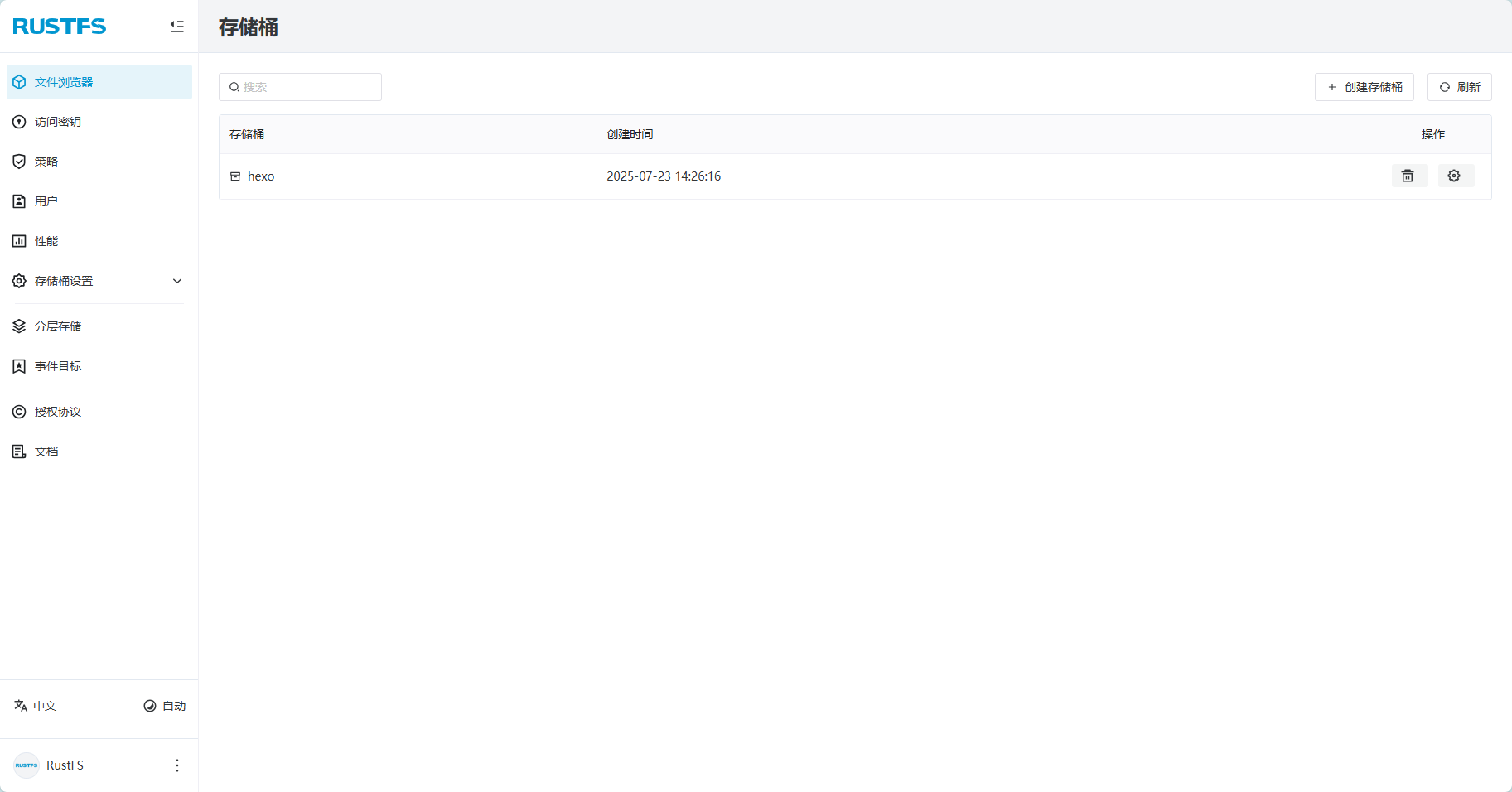
进入到控制台
|
||
|
||
创建存储桶 hexo
|
||
|
||
|
||
|
||
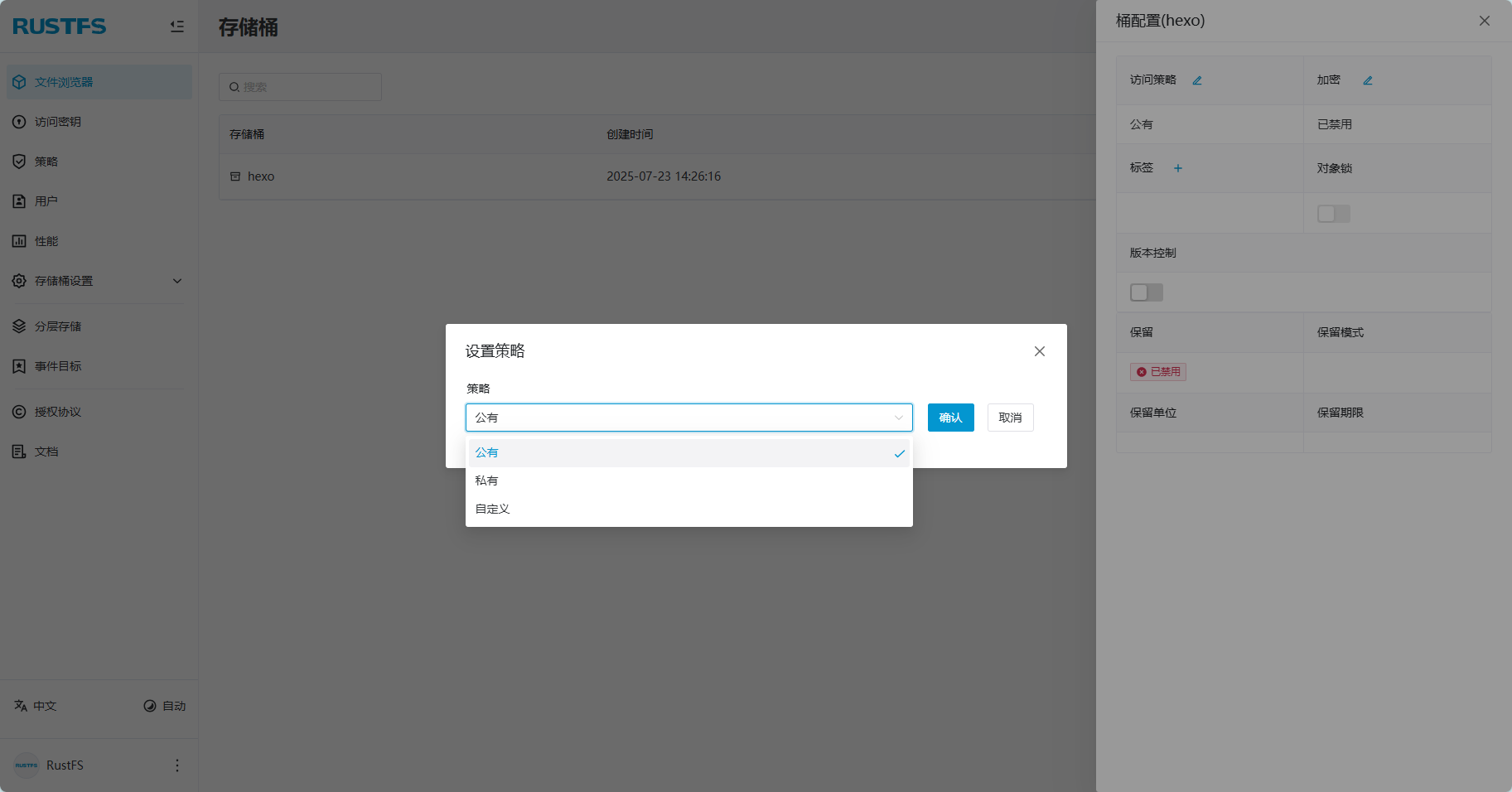
需将桶配置中的访问策略改为 公有,防止无法通过Markdown访问
|
||
|
||
|